
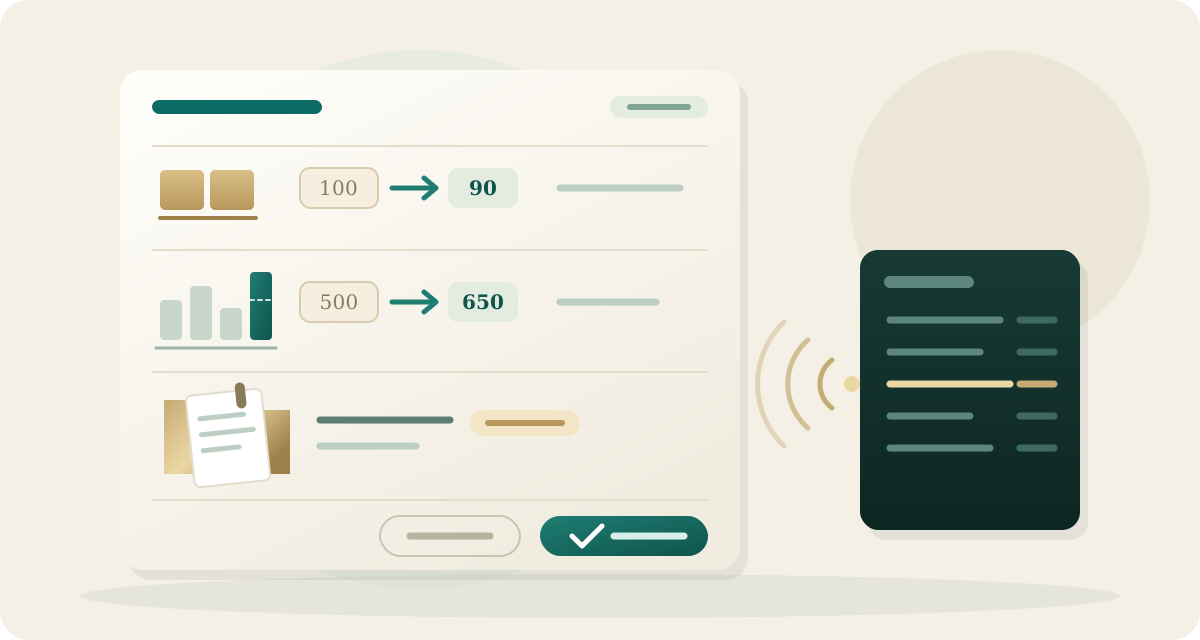
Three additional operational workflows in QuickBooks Online now integrate with Zeno's reviewed plan pipeline. Assistants can propose inventory count adjustments, budget revisions, and project assignments, submitting each change for human inspection before posting. Every approved change journals a full audit record and supports reversal directly from its run.
Inventory adjustments with live on-hand verification
When physical stock counts differ from the balance sheet, assistants can prepare inventory adjustments booked against dedicated expense accounts such as shrinkage or cost of goods sold. Plans present adjustments clearly by item, showing existing and proposed quantities alongside the calculated unit difference.
Before posting an approved adjustment, Zeno re-reads the item's current quantity directly from QuickBooks Online. If on-hand inventory changed after the plan was created, posting pauses with a drift warning rather than applying a stale adjustment. Preflight validation stops adjustments that would drive inventory negative, prevents applying adjustments to non-inventory service items, and requires QuickBooks Online Plus or Advanced in the United States.
Profit and loss budgets and variance reporting
Assistants can now plan the creation, modification, or deletion of profit and loss budgets in QuickBooks Online. Budget updates are sparse, listing only the specific monthly accounts that change and presenting previous and proposed values side by side.
Preflight checks validate budget structures before review, rejecting duplicate budget names, amounts assigned outside fiscal date boundaries, and balance sheet accounts submitted to profit and loss budgets. In addition, assistants can query live budget-versus-actual performance, calculating variances across periods and account categories from real-time ledger figures.
Project assignments and lifecycle management
Project tracking in QuickBooks Online is now accessible across all posting types. Assistants can assign customer projects to sales documents, including invoices, estimates, and sales receipts, as well as line items on bills, checks, credit card charges, and journal entries. Preflight validation ensures sales forms match the project's assigned customer, preventing QuickBooks Online from silently changing document parent accounts.
Plans can also create new projects, update project status and dates, or archive completed projects without disturbing associated historical documents. On the Clients page, connections established before project tracking availability display a prompt to reconnect and grant the required permission.
Real-time webhook ledger synchronization
Changes made directly in QuickBooks Online now synchronize to Zeno within seconds via automated change data capture webhooks. When team members edit accounts, create transactions, or update project assignments in the ledger, Zeno updates its Postgres read models immediately, eliminating delays between external accounting work and assistant context.
Improvements
- Reversing an inventory adjustment run deletes the adjustment record and restores original stock levels
- Project deletions archive records safely while leaving existing transaction lines intact
- Budget updates compare proposed changes against live SyncToken versions to prevent concurrent overwrites
- Budget versus actual reports support cash and accrual accounting bases across quarters and fiscal years
- Project status changes record full before-and-after audit logs in the run journal