
What people ask before they connect a client.
Short answers to the questions that come up on every first call. If yours is not here, write to support@zenofirm.com and a person answers.
How it works
Where do I do the work: in my AI chat, or in Zeno?
Both, for different parts. You ask for the work in Claude, ChatGPT or Muse, and Zeno prepares it there. Anything that changes the books becomes a plan, which you approve on its page in the Zeno console or in the chat itself, where the plan is drawn for you. The console also holds what outlives a conversation: the queue across clients, rules, client knowledge, documents and the work history.
Which AI do I need?
Any of Claude, ChatGPT or Muse, on the plan you already pay for. Other assistants that connect to a remote MCP server with OAuth sign-in work too. Each person at the firm can use a different one.
Does Zeno charge for AI usage?
No. Zeno runs no model of its own and adds no markup. Your assistant’s usage comes out of your own Claude, ChatGPT or Muse plan.
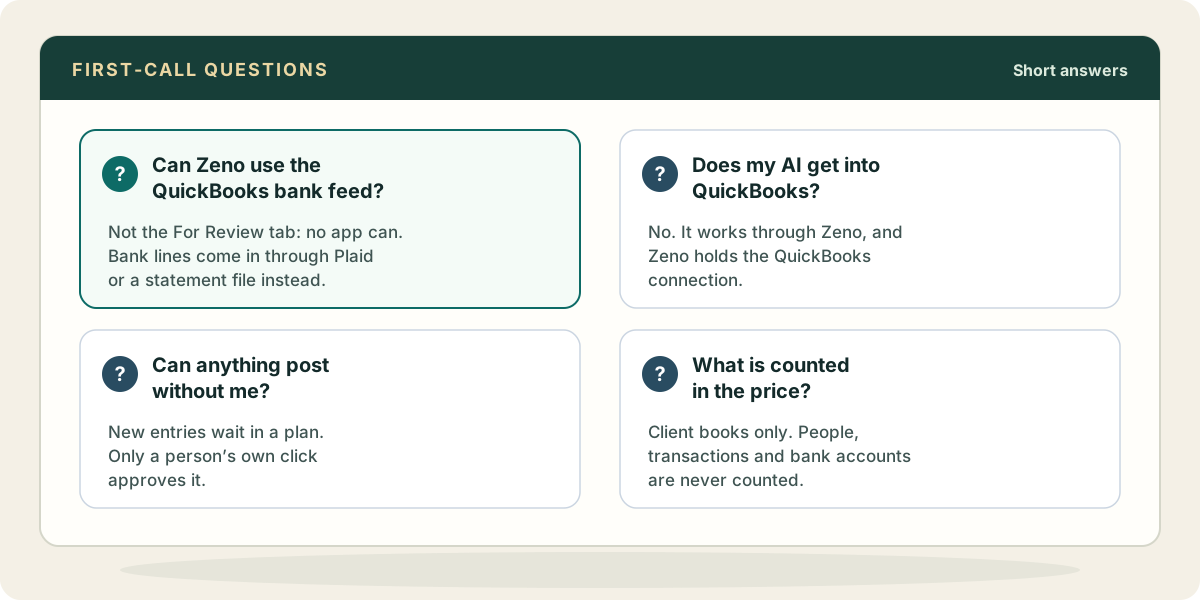
Does my AI get access to QuickBooks?
No. Your AI connects to Zeno, and only to Zeno. Zeno holds the QuickBooks connection, reads the books, and checks every proposed change against the client’s rules and records. Your QuickBooks sign-in and Intuit’s credentials never reach the AI.
Can anything post to QuickBooks without my approval?
New entries and changes to names do not. They become a plan, and only a person’s own click approves it; a “go ahead” typed in the chat does not count. A small set of changes happen only when you ask for that one thing, such as voiding a transaction, attaching a document or sending an invoice. The ones that remove or send something ask you to confirm first, and every one is recorded in the work history.
Can I undo a posting?
Yes. A posted run can be reversed as a run of its own. Zeno tells you anything it could not fully put back, such as a deleted document that returns under a new number.
Bank feeds and sources
Can Zeno work the QuickBooks bank feed?
Not the one inside QuickBooks. Intuit offers no way for any outside app to read the For Review tab. So Zeno brings bank and card activity in itself: connect the bank to Zeno through Plaid, or import a statement file. Both are included on every plan. Approved entries go into the same QuickBooks register, and you turn off QuickBooks’ own feed for that account so nothing arrives twice.
What about Stripe, Square and Helcim?
Connect them to Zeno and it reads each payout, splits the deposit into sales, refunds and fees, and matches it to the bank line. You review those entries like any other.
Can Zeno reconcile accounts?
It can compare entries with the statement and show you what is missing or doubled, but it cannot mark QuickBooks Online transactions as cleared or finish a reconciliation. You still reconcile in QuickBooks.
How do bills and receipts get in?
Forward them to the client’s documents address, or upload them. Zeno reads the text, matches the vendor to the client’s vendor list, and your AI prepares the bill or matches the receipt to its charge for your review.
Data and security
What does Zeno store?
Working copies of each connected company’s ledger data, so work can be prepared and checked without asking QuickBooks every time; bank lines received through Plaid; documents you send; the rules, knowledge and playbooks your firm confirms; and the plans, approvals, runs and work log. It does not store your conversation with the AI, only a record of which tools were called. Balances, agings and other figures that are true only at a moment are read live from QuickBooks.
Where is it held?
In the United States. Each firm’s data sits in its own database schema, and QuickBooks and bank authorisations are held encrypted. Zeno is offered in the United States and Canada.
Does Zeno train AI on our clients’ books?
No, and it does not let its providers do so either. Zeno runs no AI model over your documents; it reads them with machine text recognition, and your own assistant is the only model that sees them.
What happens when we disconnect a client?
Disconnecting stops the sync and revokes Zeno’s access; the working copies stay so that reconnecting resumes where it left off. Remove, offered once a company is disconnected, deletes them. Neither changes anything in QuickBooks.
What should our engagement letter say?
The security page has a paragraph you can adapt, describing what Zeno holds, where, and who approves changes.
Running a practice on it
How do I set it up for many clients?
Connect each client company once, with a QuickBooks sign-in that has access to it. Every client gets its own rules, knowledge, documents address and history, so nothing one client taught Zeno leaks into another. Each person connects their AI once and reaches the clients they are allowed to work on.
Can I limit staff to certain clients?
Yes. A team member can be limited to named companies, and their AI connection is held to the same list. Who may approve a posting is a permission you set per person.
Someone left the firm. How do I cut off their AI?
Remove them from the workspace. Zeno checks the person behind every request, so their assistant’s next request is refused. They can also be cut off from one client without leaving the firm.
Can the client owner look without being able to change anything?
Yes. Give the owner view-only access to their company. They can read reports and transactions, in the console or through their own AI, and leave questions for your team. They cannot plan or post.
Do I have to move everything at once?
No. Connect one client, put one month through, and leave the rest as they are. There is nothing to export or re-key; QuickBooks stays the ledger. The first-month guide walks through it.
Price and trial
What does it cost?
Zeno for Firms is $149 a month with three client books included, and additional books get cheaper as the practice grows. Zeno for Business, for your own company, is $79 a month. People, transactions, bank connections and approvals are never counted.
Is there a trial?
Fourteen days, with no card, on real books. Put one client’s month through before you decide.
Do you have a referral program?
Yes. Owners on Zeno for Business or Zeno for Firms can share their link, or have Zeno email it, from the Refer someone page in the console. When a workspace new to Zeno that you referred makes its first payment, your next charge is lowered by a month of what its plan costs, never more than that charge itself; on an annual plan, it comes off your next yearly charge. If you are still on your trial, it runs a month longer instead. Referrals stack, and the person you refer gets the usual 14-day trial.
Do you support QuickBooks Desktop or Xero?
QuickBooks Desktop, yes: Zeno installs on Windows beside the company file, sold as a licence rather than a subscription. Xero, no. Zeno works only with QuickBooks.