Zeno for Firms

Train your AI bookkeeper across the practice without blending client data.

Zeno gives the AI your firm already uses a governed workspace for every client: separate context, memory, rules, knowledge, playbooks, permissions, reviews, and work logs. The firm sees the whole practice. Each client’s books remain their own.

First client free for 30 daysSet it up yourselfNo setup fee
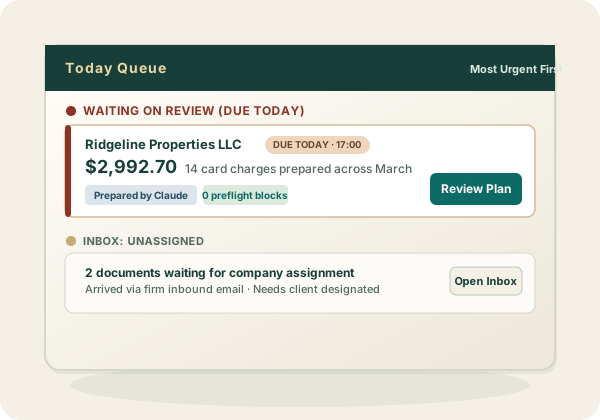
See the practiceAsk across companies, manage client connections, and review work from one firm surface.
Keep clients separateRules, facts, plans, permissions, and postings stay anchored to the client they belong to.
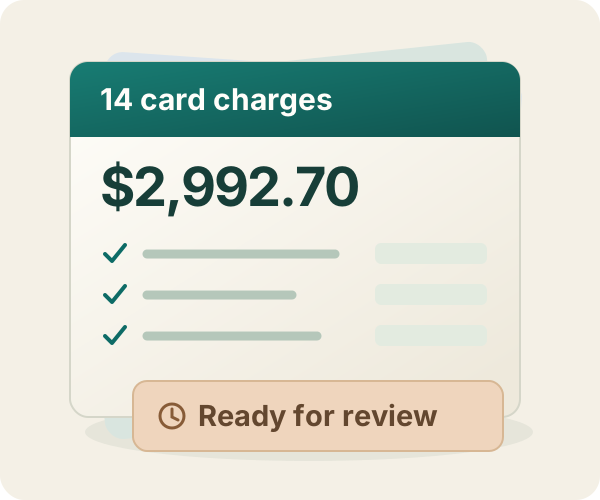
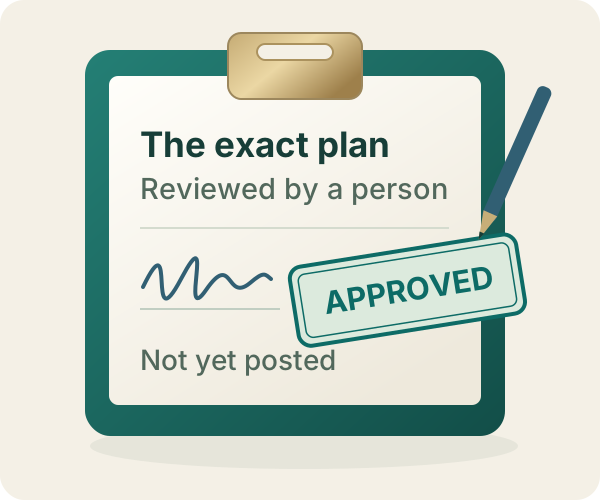
Keep authority humanPreparation cannot post. A reviewer approves the exact entries before QuickBooks receives them.
A firm workflow · captured end to end

See the practice. Enter one client. Keep every decision in its lane.

The first frames show firm-wide work waiting across clients. The rest follow one sandbox company through a reviewable plan, a named human verdict, QuickBooks posting with its receipt, reversal, and an append-only handoff the next operator can find.

$184.63 proposed1 human approval0 failed writes
The conversation is the product

The firm talks to its AI. Zeno turns that conversation into controlled accounting work.

This is an abridged transcript of the recorded sandbox run, not a fabricated product screenshot. The company, plan, run, QuickBooks id, attachment, reversal, and final state all match the captured records below.

Your AIConnected to Zeno · Sandbox Company_US_1
Operator

Prepare this Office Depot receipt as a $184.63 credit-card charge. Do not post anything yet.

qb_plan_batchResolved live QuickBooks names · checked the ledger · wrote nothing
done
AI

Plan ready: one Office Depot charge for $184.63, coded to Office Supplies. It is waiting for a human verdict; QuickBooks has not changed.

Reviewer

Approved. Apply the exact plan.

qb_apply_batchDigest matched · 1 posted · 0 failed · QuickBooks Purchase 239
done
AI

Posted to QuickBooks and attached the PDF receipt. The run and QuickBooks transaction id are recorded, so I can verify or reverse this exact work.

01
Firm surface · all clients

Start from the practice, not from whichever company happens to be open.

The firm queue shows client work waiting for judgment. Here, an entire Desktop-to-QuickBooks migration is staged as a reviewable plan, including the chart, names, items, open receivables, and payables. Nothing suggests the migration has already been applied.

Operator

What is waiting across the firm?

qb_list_plansall clients
AI

Quality-Built Construction has an 11-entry QuickBooks Desktop → QuickBooks Online migration waiting for review. It is staged, not applied.

Zeno firm-wide Today queue showing a QuickBooks Desktop to QuickBooks Online migration plan waiting for review
Zeno review table for eleven open accounts receivable and accounts payable entries in a staged QuickBooks Online migrationZeno migration plan showing the empty human verdict box and approve or reject controls

Firm scope One place to see work across clients; every row still belongs to one company and one pinned plan.

02
Zeno console · plan and verdict

Approval is an event. Posting is a different event.

The Office Depot receipt becomes one proposed credit-card charge. Before the verdict, the plan is inert. After Eli approves it, the named approval and digest are visible. Nothing posts until the connected AI separately applies that exact plan.

Zeno plan for a $184.63 Office Depot credit-card charge awaiting a human verdictThe same Zeno plan marked approved by Eli Mandel while still separate from posting

Human boundary Any change to the included line or digest sends the work back for another verdict.

03
QuickBooks Online · ledger proof

The result is not trapped in an AI answer. It is in QuickBooks, with the source riding beside it.

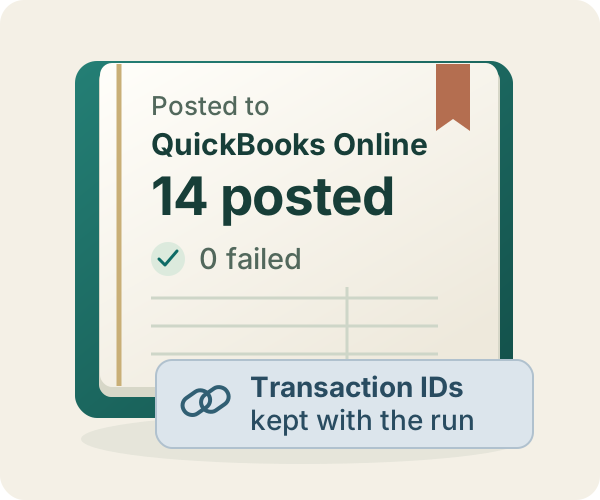
QuickBooks shows the exact payee, card account, date, reference, category, memo, and amount. The fictional PDF receipt is attached to that transaction, not merely mentioned in the chat that created it.

Operator

Verify what reached QuickBooks and make sure the source receipt is on it.

qb_list_attachmentsPurchase 239
AI

QuickBooks Purchase 239 is the $184.63 Office Depot expense. The PDF receipt is attached to that exact transaction.

QuickBooks Online expense for Office Depot posted to Business Credit Card and Office Supplies for $184.63QuickBooks Online expense showing the Zenofirm demo PDF receipt attached to the transaction

Source document The attachment remains a real QuickBooks object that the firm can list and manage.

04
Zeno + QuickBooks · reversal

When the firm changes its mind, the run knows what it created.

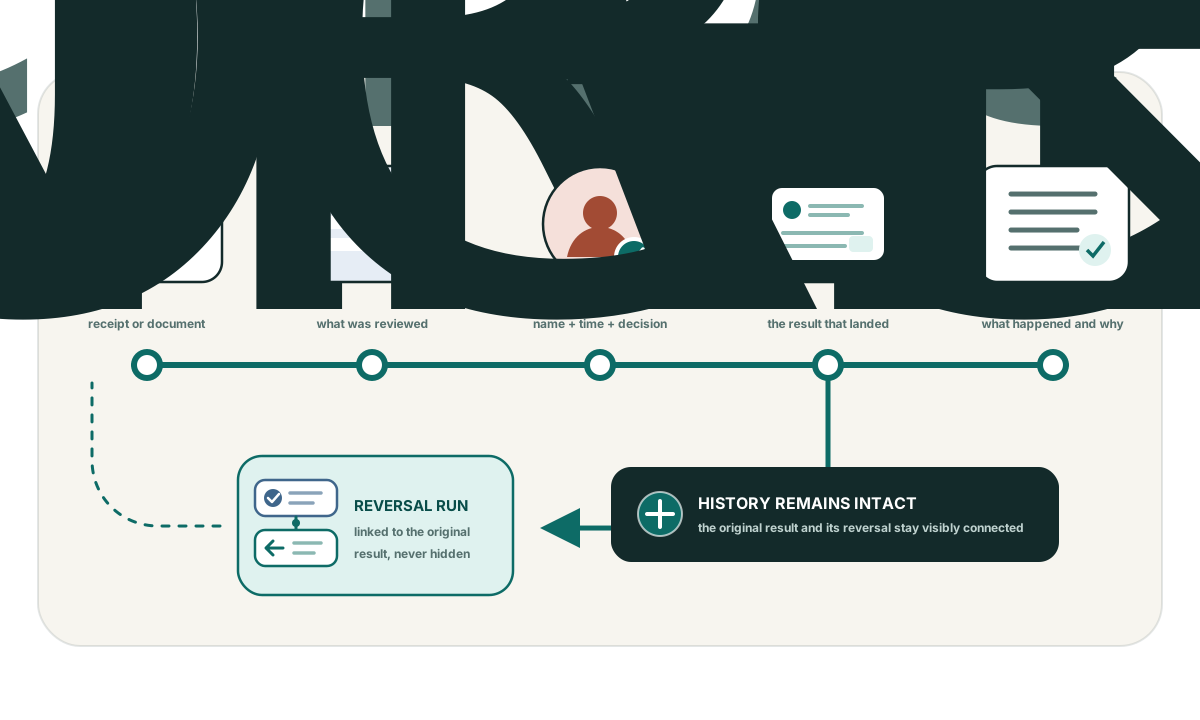
The original run keeps QuickBooks ledger id 239 and links to its reversal. Because QuickBooks cannot void this Purchase type, Zeno uses the supported delete path. QuickBooks independently confirms that the transaction is gone.

Operator

Reverse the run. Do not change anything else.

qb_reverse_run89fb21ea
AI

Reversal 8240fc2c completed. QuickBooks Purchase 239 was deleted; the original run now points to the reversal.

Zeno completed run showing one QuickBooks credit-card charge posted with zero failures and ledger id 239Zeno reversal run showing the QuickBooks Purchase successfully reversed
Zeno original run showing one posted Office Depot charge, QuickBooks ledger id 239, and the linked reversal runQuickBooks Online missing transaction dialog confirming that the expense has been deleted

Run-level undo Reversal removes the accounting change; it does not rewrite the evidence of how the decision happened.

05
Firm memory · append-only work log

The chat can end. The handoff does not.

The work log keeps the source reference, named approver, original run, QuickBooks transaction id, receipt attachment, reversal run, final ledger state, and remaining work. The next operator inherits a record instead of folklore.

Next operator

What happened with Office Depot, and is anything still open?

qb_work_logclient memory
AI

The approved charge posted with its receipt, then reversal 8240fc2c removed it. QuickBooks confirmed it is gone. Nothing remains open.

Zeno append-only work log recording the approved QuickBooks write, attached receipt, reversal, and remaining open work

Direct captures from the installed Zeno console and Intuit’s QuickBooks Online sandbox company. Financial records are fictional. Images are losslessly cropped for legibility; no product interface was recreated.

The honest feature fence

A firm is not a business with more books.

Firms need a practice layer that an in-house team does not: outside client ownership, client-level permissions, separate training libraries, cross-company questions, and one place to see work moving across the portfolio.

CLIENT MANAGEMENT

Know who owns every book

Connections, people, permissions, responsibilities, open work, and the source of every decision stay attached to the right client.

PRACTICE VIEWS

See what needs attention

Prepared plans, exceptions, approvals, failed postings, reversals, and incomplete work can be reviewed across the firm.

CROSS-CLIENT QUESTIONS

Ask once across every company

Find patterns, compare balances, and answer firm-wide questions while retaining the company-level detail behind every result.

PER-CLIENT LIBRARIES

Train without leakage

Each client keeps its own rules, knowledge, playbooks, documents, and work history inside enforced scope boundaries.

FIRM MEMORY

Keep what belongs to the practice

Firm standards and reusable procedures survive employee turnover and changes in the AI client your team prefers.

WORK LOGS

See what happened and why

Walk from AI session to human verdict to QuickBooks result, with the explanation and remaining work still attached.

Same safety at every size

The firm gets leverage. Nobody gives up the judgment boundary.

Zeno separates reading, planning, reviewing, applying, and reversing. Safety is not an add-on and a cheaper plan is never allowed to be a more dangerous plan.

  • Scoped toolsThe AI receives the authorized firm, client, company, and role with every request.
  • Real preflightNames, accounts, existing transactions, duplicates, dates, and confirmed rules are checked before review.
  • Digest-pinned approvalA human verdict authorizes the exact batch reviewed. Changed work must return for another decision.
  • Durable evidenceProposals, decisions, posting results, failures, and supported reversals remain traceable afterward.
Transparent firm pricing

Start at $299. Buy room for the practice you are building.

The base includes capacity for five client books, two operator seats, and unlimited reviewers. Choose the capacity you want before every client is connected; books already connected simply set your minimum.

  • Additional operators$39 each per month after the first two
  • Books 6–25$29 each per month
  • Books 26–100$19 each per month
  • Books above 100$12 each per month
  • ReviewersUnlimited and free
Self-serve from the first client

Connect a book. Connect your AI. Put one batch through review.

Create the firm workspace, authorize the first QuickBooks Online company through Intuit, connect a supported AI client, invite the reviewer, and work one real batch. There is no setup fee or required services package.

  1. 01
    Create the firm

    Name the practice and invite the people who prepare or review work.

  2. 02
    Connect the first client

    Authorize QuickBooks Online and confirm the company and people responsible.

  3. 03
    Connect your AI

    Give Claude, ChatGPT, Codex, or another supported client authenticated firm tools.

  4. 04
    Review real work

    Prepare without posting, inspect the exact plan, approve it, and keep the resulting trail.

FIRST CLIENT · 30 DAYS · NO CARD

See whether the review table is one your firm would sign.

Start free