
Books health
- Balances on the wrong side of their account type
- Undeposited Funds carrying a balance
- Money received or credited but never applied
- Merchant clearing accounts that never washed to zero
Connect the client’s QuickBooks Online company and ask for the check-up. Before the kickoff call you know which balances can’t be right, what has been sitting in holding accounts, and how the books have actually been kept. Then fix what matters through plans you approve.
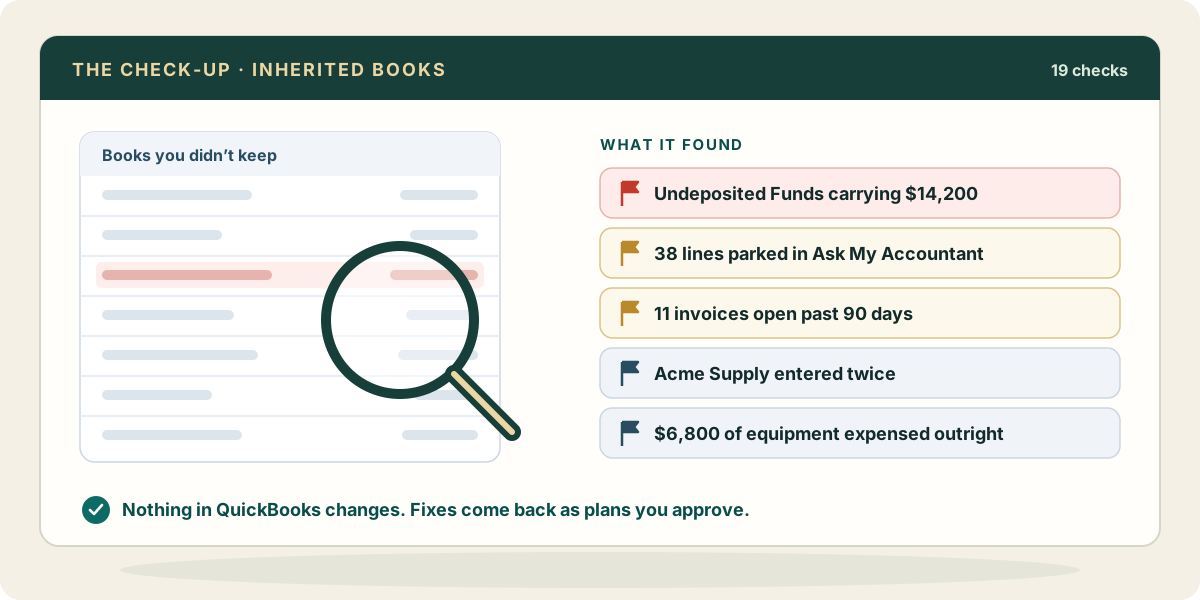
Each one reads the books the same way every time and shows the transactions behind what it found. The check-up changes nothing in QuickBooks.
No check decides whether revenue landed in the right period, whether an accrual is missing, or whether a depreciation schedule ever ran. Those depend on facts outside the ledger. The check-up gives you the ground to stand on: a list of what is plainly wrong, so your billed hours go to the questions only you can answer.
Ask your AI to dig into any finding, through Zeno, with the transactions in front of it: “Show me what is behind the Undeposited Funds balance, oldest first.”
One QuickBooks sign-in per client company. The history loads, and the checks run over it.
Zeno drafts what two years of history say about coding and rhythm. You confirm what is right, and it guides the work from then on.
Corrections, reclassifications and duplicate names come back as one plan you approve, and can be reversed as one run.
Reports and agings are read from QuickBooks at the moment you ask, so what you quote is what the client sees.
Each company has its own rules, knowledge and history. What one client taught Zeno never codes another client’s charge.
Give the CEO view-only access to their own company. They read the numbers, in the console or through their own AI, and leave you questions.
Invite the in-house bookkeeper and limit them to their company. You decide who may approve a posting.
Every action is logged with what was done, why and what is still open, so the next month starts where this one stopped.
Priced by company, never by person: Zeno for Firms starts at $149 a month for three companies →