

The work in a QuickBooks Desktop file extends far beyond entering bills and invoices. It includes quotes, orders, receipts, assembly builds, time, mileage and all the lists those transactions depend on.
The September 18–19 update brings more of that work into Zeno’s batch workflow. Your assistant prepares the job against the company file, you read the proposed entries, and the result stays in the run history.
Sales and purchasing can arrive as complete batches
Estimates, sales orders, statement charges and credit-card refunds join the broader batch surface. On the purchasing side, batches cover bill payments, item receipts and sales-tax payments, with the supported bank or credit-card payment route.
Linked work is more complete too. Invoices and bills can be raised from supported source documents; payments can carry credits and discounts. The review shows what a payment settles and which document a new entry comes from.
Prepare the orders from this week’s sales export, with the customer addresses and item details. Keep anything with a missing item out and show me the batch.
An order or estimate is still an order or estimate: preparing one does not pretend that revenue has been posted. A sales-tax payment records the payment in the file; it is not a promise to file a return or transmit money to an agency.
The details on the form matter
Sales and purchase forms now carry more of the fields the work requires: supported addresses, email and print flags, templates and tax references. Sales item lines can carry units, price levels, inventory sites, custom columns and group items where the form supports them.
Bills, checks, card charges and vendor credits can use item lines as well as expense lines. Purchase item lines carry supported job, unit, site and group information. Exchange rates and purchase-order custom fields have also been widened across the relevant forms.
These fields are checked by form. A field that QuickBooks cannot accept is refused instead of disappearing on the way into the file. Group lines get explicit warnings where their expanded value is not included in the plan’s total.
Inventory, time and mileage belong in the same review process
Assembly builds, transfers between inventory sites, time entries and mileage can be prepared in batches. Build checks use stock availability as of the build date and consider the builds already proposed in the batch. Transfers need two different sites. Billable time needs the job and item that make it billable. Mileage must describe a distance that adds up.
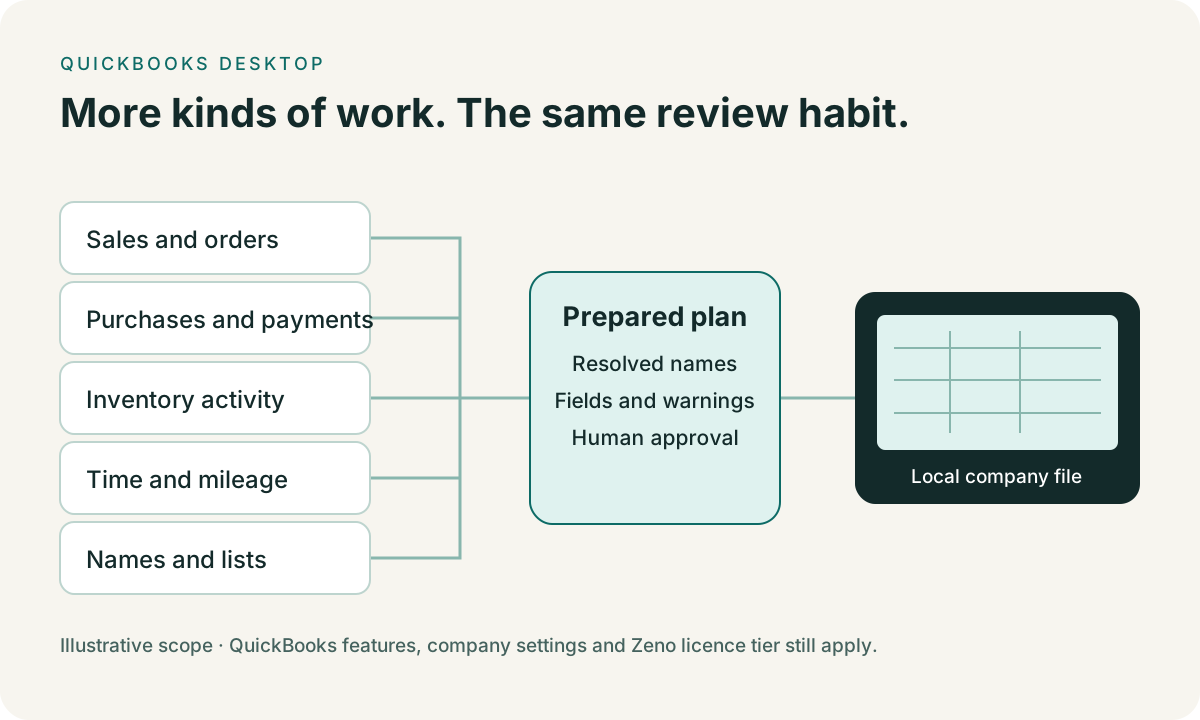
Availability still depends on the file and licence: assembly work requires the inventory tier, inventory site transfers require the appropriate Enterprise features, and company settings determine which fields QuickBooks will accept. A stock warning is useful evidence for review, not a guarantee that nothing can change before posting.
Prepare the lists, then correct what is already there
A names plan can load supported lists through the same review and journal process as a transaction batch. That includes the ordinary names and accounts as well as the smaller profile lists QuickBooks allows Zeno to add.
Cleanup plans can now correct supported list records in bulk: customers, vendors, employees, other names, accounts, classes, vehicles, sales reps and sales-tax codes. Duplicate targets, competing renames, ambiguous names and invalid fields are blocked before approval. List deletion reaches the supported deletable types, but a record still referenced by the file is not simply removed.
The wider tool surface also adds to-dos, leads and workers’ compensation codes, plus QuickBooks’ special account and item creation paths. Those special records have their own restrictions; they are not advertised as ordinary reversible names.
Repair transactions without losing the rest of the document
A cleanup selection can prepare a header patch, a line recode, or both. Apply rechecks the live document against the version reviewed. Warnings from a modification are retained in the run record.
Account matching now respects full account paths, reducing the risk of choosing the wrong account when two branches share a leaf name. Open bill and invoice balances also use the returned open amount and relevant settling links more carefully, so payment planning is grounded in what is still outstanding.
Recovery has to say what it can actually do
Supported posting runs can reverse against the same company file they posted into. The reversal reports records already gone and records it cannot remove. Customer payments reverse through deletion, because the Desktop void operation does not support that transaction type.
Cleanup snapshots are a record, not automatic undo. Do not treat a bulk modification, void or deletion as something Zeno can necessarily roll back. Keep a company-file backup before destructive cleanup and read the plan’s warnings. QuickBooks’ special accounts and items have additional reversal limits.
SaasAnt and Transaction Pro also offer Desktop bulk tools. Zeno’s proposition is that your chosen assistant can prepare the work with the file’s context, carry it through review, and leave the explanation with the result. There are no speed or accuracy claims hidden in that comparison.
Explore the Desktop capability guide or download the evaluation and start with a job you already know how to check.