
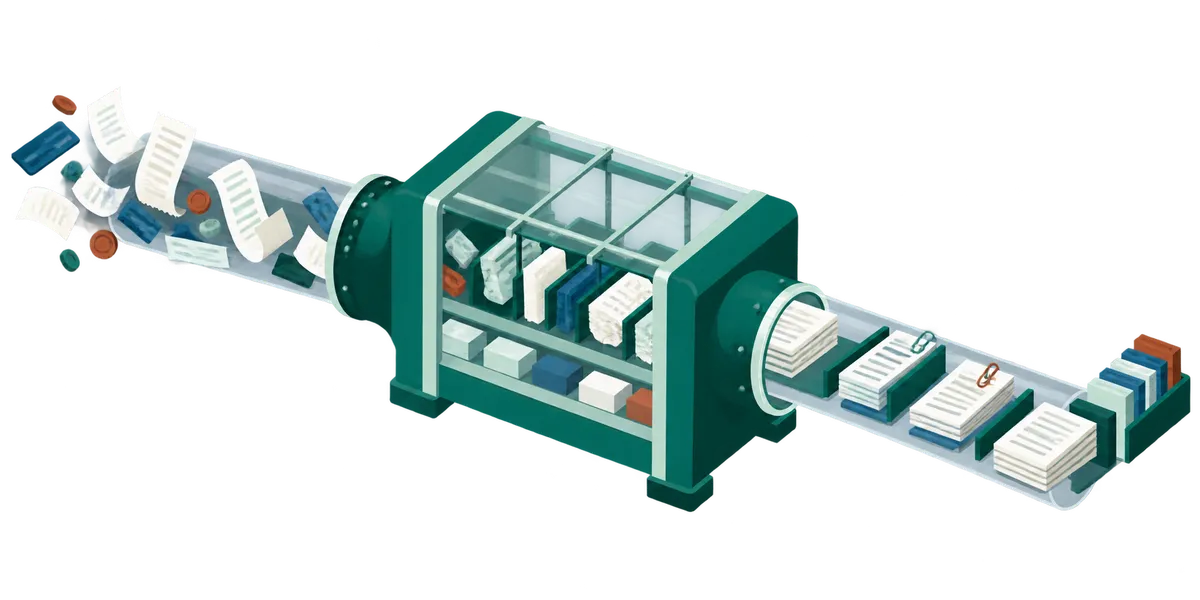
If you have shopped for an AI bookkeeper in the last year, you have read a paragraph like this one:
After installation, Booke is added as a standard user to your QuickBooks organisation. The AI Bookkeeper then operates within the QuickBooks interface, reviewing bank feed transactions, categorizing entries, matching bills, invoices, and receipts, and preparing reconciliation automatically. Unlike traditional integrations that only sync data through APIs, Booke’s RPA-driven AI interacts with QuickBooks similarly to an experienced bookkeeper.
That is Booke.ai describing its own product, and it is worth reading closely, because it is unusually honest. Most vendors would have stopped after “operates within the QuickBooks interface.” Booke tells you the mechanism: a user account, and RPA.
Here is what that means, why they had no choice, and why we made the other one.
The fact that shapes every product in this category
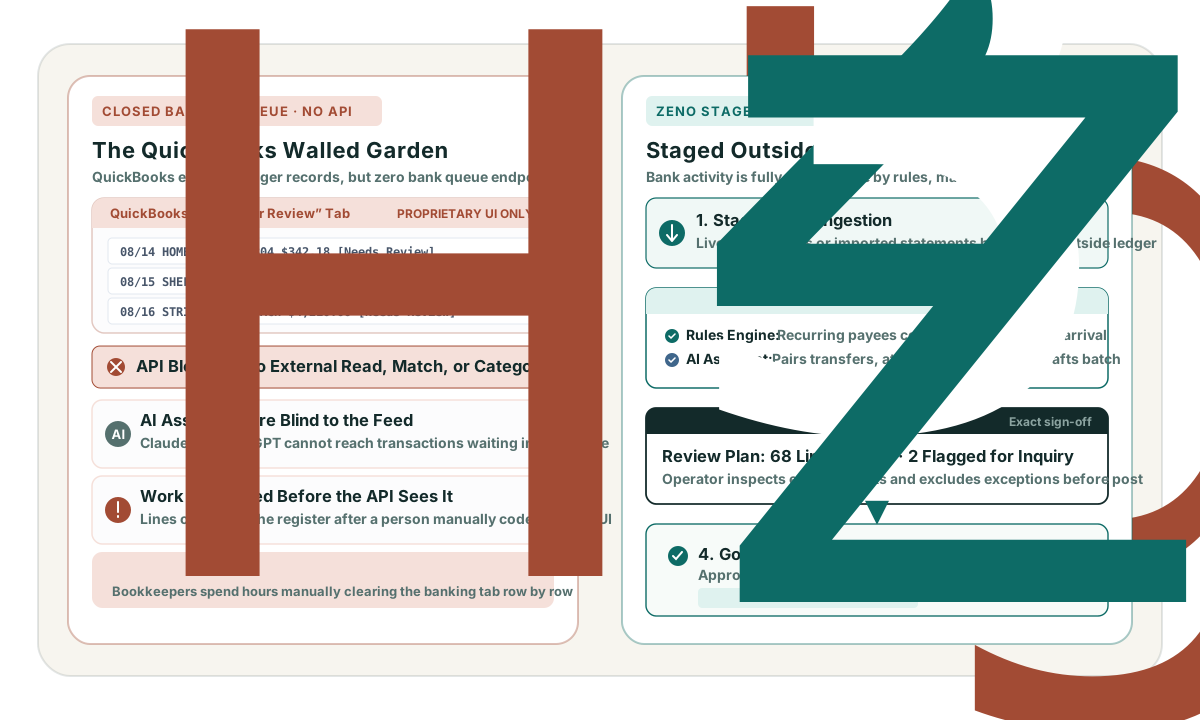
QuickBooks Online’s Accounting API does not expose the bank feed.
Not “exposes it awkwardly.” There is no entity for the For Review queue, no endpoint that returns downloaded-but-uncategorized transactions, no call that accepts or matches or excludes one, no CRUD for bank rules, and no way to run a reconciliation. Intuit has confirmed this in its own developer forums more than once, and the reason given is not an oversight. Intuit pays Plaid and Yodlee per access for that data. Republishing it through a free API would mean paying for every developer’s bulk pull. The gap is a business decision, and business decisions do not get fixed in the next release.
Intuit does run a bank-feed program, but it is for financial institutions pushing data into QuickBooks. It is not a way for an app to read the queue out.
So any product that claims to review your bank feed inside QuickBooks Online is not doing it over the public API. There are exactly two remaining options.
Option one: become a user
You invite the vendor into your QuickBooks company as a user. Their software signs in as that user and drives the web application: opens Banking, reads the For Review rows, sets payee and category, clicks Add or Match, walks the reconcile screen.
That is what “RPA-driven” means. Robotic Process Automation is the enterprise term for software that operates a human interface because no machine interface exists. In practice it comes in two flavors, and vendors rarely say which they use: headless-browser automation that literally clicks the buttons, or session-riding, where the software authenticates once and then calls the private JSON endpoints that QuickBooks’ own front end calls. The second is far faster and far less brittle. Both have the same authentication model. The bot is a user, not an app.
Give Booke credit for the metaphor: “similarly to an experienced bookkeeper” is accurate in a way most AI marketing is not. It is describing how the software gets in, not just how well it thinks.
What this buys: the entire surface the API cannot reach. Bank feed review, matching, bank rules, reconciliation, the receipts inbox. There is no other route to any of it.
What it costs:
- Someone else holds your login. A password and whatever second factor Intuit demands for every client file, rather than a token you can scope and revoke from a connections screen. That has to be stored somewhere, and automated past somehow.
- It breaks when the UI changes. QuickBooks ships interface changes, A/B tests, and regional variants continuously. The failure is per-client and usually silent.
- It is slow. Seconds per transaction against milliseconds. A six-hundred line month is a long-running job with partial-failure states.
- It exists at Intuit’s discretion. Login sits behind bot detection. Nothing about this path is a sanctioned integration, which means there is no deprecation notice and no migration window if it stops working.
We are not going to tell you it violates Intuit’s terms of service. We have read the marketing copy, not their implementation or their agreements with Intuit, and that is a claim we are not in a position to make. What we will say is the plain part: you are giving a vendor your QuickBooks credentials, and that is a decision most firms make by clicking “invite user” without ever framing it that way.
Option two: bring your own feed
The other option is the one Intuit’s own forum answers point toward: connect the bank yourself, own the transaction pipeline, and push finished entries into QuickBooks through the sanctioned API.
That is what Zeno does. Your bank connects through Plaid, into Zeno. The transactions arrive in Zeno’s queue. Coding rules apply there, matching happens there, and what lands in QuickBooks is a completed transaction posted over the documented write API. Intuit supports, rate-limits and versions this API, and publishes a changelog for it.
We should be straight about the trade, because there is one. Booke promises to work “without requiring additional bank connections”. That is a real advantage at signup. Connecting banks is friction. We ask for that friction. In exchange:
- Nobody holds your QuickBooks password. The connection is OAuth, scoped, and visible in Intuit’s own app management screen. You can revoke it there without changing a password.
- A QuickBooks interface change is not our outage. We are not reading their screens.
- When QuickBooks’ own feed breaks, ours does not. We are not downstream of it.
- The audit trail says what happened. Every posting carries a run id that reverses it, and a plan a person approved before it went in.
- The transactions are reachable. A line in QuickBooks’ For Review queue cannot be read, coded, or asked about by anything but QuickBooks. Staged here, the same line meets the coding rules, the ledger matcher, and whatever assistant you have connected. That is the reason for connecting your bank to Zeno.
The part that is actually about AI
There is a second borrowing worth naming, because we did borrow it.
Products in this category pull roughly two years of your history when you sign
up, and use it to train their categorization. That is a genuinely good idea and
we now do it too: Zeno’s initial sync already reaches twenty-four months back,
and qb_study_history reads it and writes down what it found: how each vendor
actually gets coded and how often it bills, whether class tracking is really
used or only aspirationally, which accounts have gone dormant, what your
month-end rhythm looks like.
The difference is what comes out the other end. Two years of history fed into a model produces a model: it is better at guessing, and you cannot ask it why. The same two years fed into Zeno produces prose, in drafts, that you read:
Verizon Wireless — coding. Coded to Utilities:Telephone on 22 of 24 transactions (92%) between 2024-09-03 and 2026-08-05. The rest went to Office Expenses (2). Amounts are steady, $180–$215 (typically $195). About monthly. Usually lands between the 8th and the 12th. Observed from mirrored history, not stated by the client — confirm before relying on it.
Nothing in that list is live until a person confirms it. Unconfirmed knowledge never reaches a coding decision. When Zeno gets a vendor wrong six months from now, you can open the entry that caused it, see the evidence it was built on, and fix the sentence.
That is not a small distinction. It is the same one that runs through everything else here: the work gets prepared automatically, and a person stays the one who decides.
And the cadence
The last thing worth stealing is the rhythm. A bot that logs in every morning feels like an employee, and that feeling is doing real work in Booke’s favor.
We cannot log into your books on a schedule. That is precisely the capability we gave up. But you can put Zeno’s preparation on a timer, using the scheduled tasks built into Claude and ChatGPT, and arrive to coded lines, a reconciliation draft, and a short list of things that need a decision. The cadence guide walks through it.
The approval is still yours. That is the whole idea: you should wake up to finished thinking, not to finished posting.