
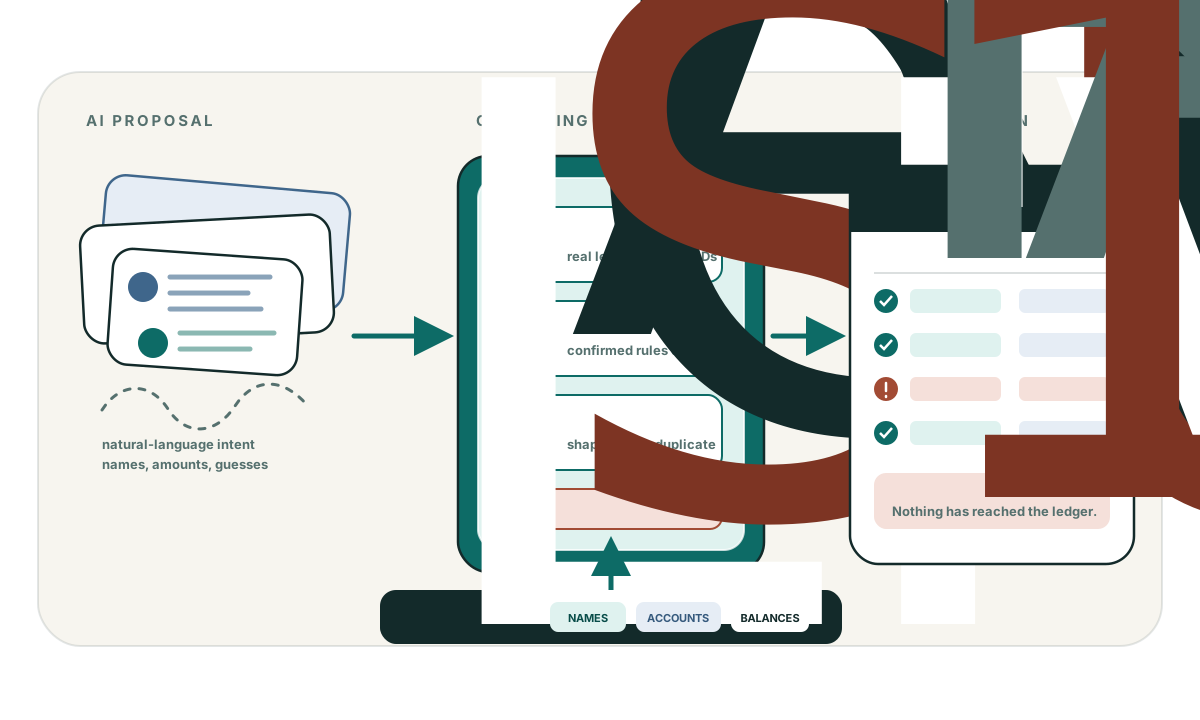
When writing to an accounting ledger, the most dangerous failure is not an error that stops a transaction. The most dangerous failure is an error where you cannot tell whether the transaction happened or not.
Consider an automated workflow posting a $12,000 vendor payment over the QuickBooks Online REST API:
- Your application sends
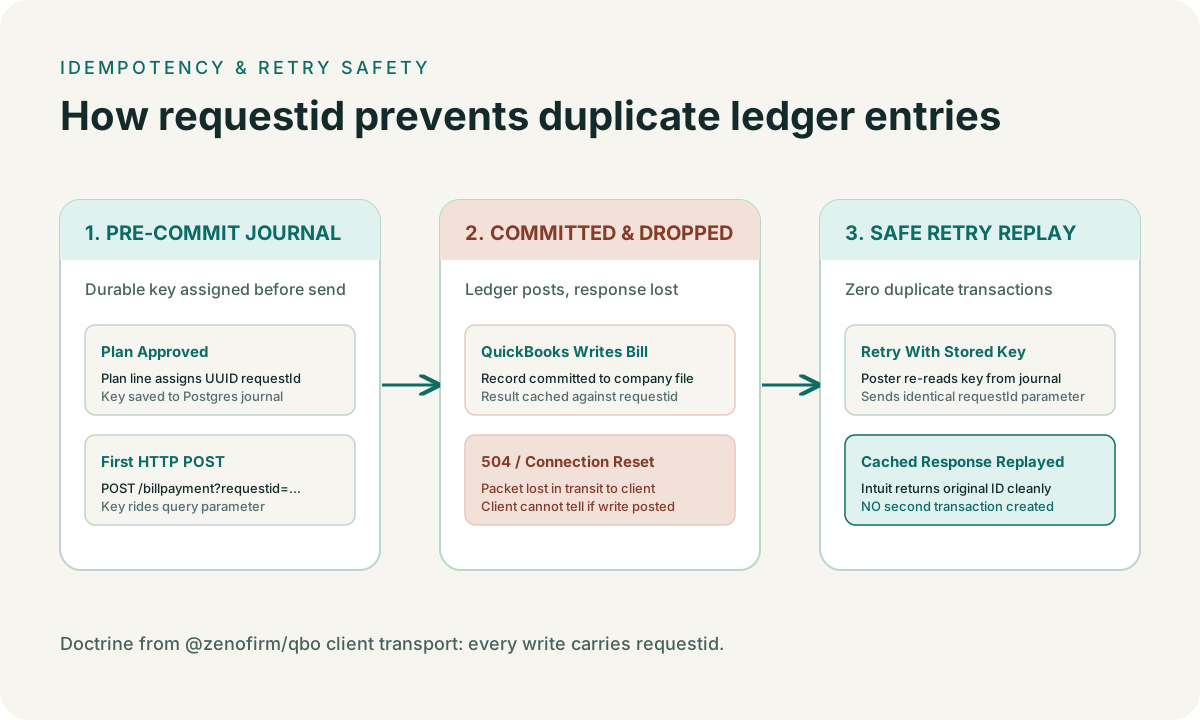
POST /v3/company/{realmId}/billpayment. - Intuit’s servers receive the payload, commit the payment to the client’s ledger, and generate an entity ID.
- As the server begins transmitting the HTTP 200 response, the connection drops: an intermediate proxy resets, a socket times out, or a TLS session tears down.
- Your application receives a
504 Gateway Timeoutor anECONNRESET.
At that instant, your application has no idea whether the $12,000 payment posted or failed.
If you do not retry, the books are out of sync with your records. If you retry naively, QuickBooks Online creates a second $12,000 bill payment. In a live business ledger, a duplicate payment is an operational disaster.
Here is how Intuit’s requestid parameter handles this, what it protects, and
where its guarantees end.
The mechanism: request-level idempotency
The QuickBooks Online API supports an optional query parameter on mutation
endpoints called requestid:
POST /v3/company/{realmId}/billpayment?requestid=a3f8c0e2-7b19-4d62-9e81-12f5e39b4071When Intuit receives a mutation request with a requestid:
- It checks an internal deduplication cache for that company file.
- If the
requestidhas not been seen before, it executes the operation, records the result alongside therequestid, and returns the response. - If the
requestidhas already been processed, it does not re-execute the operation. Instead, it retrieves the previously generated response and replays it verbatim.
This makes retrying across network drops and server 5xx errors safe. If your
application catches a timeout or connection reset, it can immediately re-issue
the exact same HTTP request with the exact same requestid. If the first call
failed to reach Intuit, the second call posts the record. If the first call
posted the record and only the response was lost, the second call returns the
existing record without double-posting.
In our client implementation, every mutation verb is required to take a
requestId argument:
// packages/qbo/src/client.ts
async create<T>(entity: string, body: unknown, requestId: string): Promise<T> {
  return this.request<T>({
    method: "POST",
    path: `/${entity.toLowerCase()}`,
    params: { requestid: requestId },
    body,
  });
}
The critical limitation: requestid is not queryable
Many developers assume requestid functions like an idempotency key in Stripe,
where you can query the API later to inspect the state of a past request.
In QuickBooks Online, requestid is strictly write-only.
There is no endpoint to inspect an old requestid:
- You cannot call
GET /v3/company/{realmId}/requests/{requestId}. - You cannot query
SELECT * FROM BillPayment WHERE RequestId = '...'. - Intuit does not return the
requestidin CDC streams or webhook payloads.
Furthermore, Intuit does not publish the retention window for the requestid
cache. While it remains valid long enough for immediate network retries (seconds
to minutes), you cannot assume it survives across hours or days.
This limitation dictates where the state must live.
The architectural consequence: pre-commit journaling
Because requestid cannot be queried after the fact, cross-restart recovery
cannot rely on Intuit’s memory.
If your server crashes or restarts between sending the HTTP request and receiving the response, a fresh process waking up has no direct way to ask QuickBooks Online what happened.
To make recovery deterministic, the requestId must be written to durable
storage before the HTTP call is ever made:
- Stage the Plan: The AI prepares a proposed batch. Every line item in the batch is assigned a deterministic UUID (derived from the plan ID and the line number, or generated once at plan creation).
- Review & Store: The human reviewer approves the batch. The plan and its line UUIDs are committed to Postgres.
- Execute with Stored Key: When the posting worker starts a run, it reads the
pre-assigned
requestIdfrom the journal and sends it to Intuit. - Crash Recovery: If the posting worker crashes mid-batch, a recovery worker
finds the uncompleted run in the journal. It does not generate new IDs; it
re-reads the recorded
requestIdfrom the database and re-sends the request.
If the original call completed before the crash, Intuit returns the existing record ID. If the original call never reached Intuit, it executes cleanly.
Batch chunking and sub-keys
The QuickBooks Online API allows batch operations of up to 30 items per request
(POST /v3/company/{realmId}/batch).
When posting a large monthly batch of 150 transactions, Zeno divides the batch
into five 30-item chunks. If each chunk used the parent batch’s requestId,
the second chunk would be rejected as a duplicate of the first.
To keep retries independent, each chunk derives a deterministic sub-key:
// packages/qbo/src/entities/batch.ts
for (let i = 0; i < chunks.length; i++) {
  const chunkRequestId = `${requestId}-${i}`;
  await client.batch(chunks[i], chunkRequestId);
}
If chunk 1 succeeds and chunk 2 times out, retrying chunk 2 with
${requestId}-1 replays only chunk 2, without touching chunk 1 or stalling
subsequent chunks.
Summary
Intuit’s requestid parameter is the single most important control for
preventing duplicate transactions during network volatility. But using it
effectively requires understanding its boundaries:
- Always pass a client-generated UUID on every
createandupdate. - Never generate a random
requestidinside the HTTP retry loop; the retry must reuse the original ID. - Because the key is write-only, store the
requestIdin a local durable journal before transmitting the request over the network.